
Filed under: Tutorials · YouTube Tests & Guides
A beginner walkthrough covers channel creation, name and handle choices, audience settings, feature eligibility, and privacy decisions.
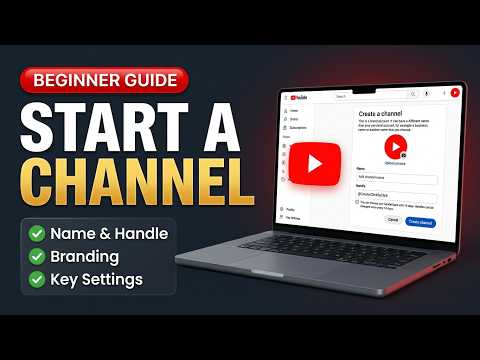
What does a beginner need to configure when creating a YouTube channel from scratch? To answer it, the Click Test walked through the channel-creation screens and explained the decisions that should be reviewed before uploading.
Following the setup screens carefully helps prevent avoidable naming, audience, and visibility mistakes. This is most relevant to first-time YouTube creators who want a careful setup sequence.
The channel setup sequence
The demonstrated tool or workflow was YouTube channel setup.
- Create the channel from the appropriate YouTube account.
- Choose and review the channel name and handle.
- Set the audience selection accurately.
- Review feature eligibility instead of assuming every feature is immediately available.
- Check privacy and visibility choices before publishing anything.
Decisions beginners should make carefully
- The setup created the channel framework and exposed the controls a new creator must understand.
- The walkthrough kept feature access and privacy as explicit decisions.
Following the setup screens carefully helps prevent avoidable naming, audience, and visibility mistakes.
What setup cannot guarantee
YouTube can change its interface and verification requirements. Feature eligibility varies and is not guaranteed.
The Click Test Conclusion
Create the channel deliberately, verify the identity and audience settings, and review eligibility and privacy before publishing.
Prefer to watch the demonstration?
The written article above contains the essential answer. The public video is available as an optional walkthrough.