
Filed under: Tutorials · YouTube Tests & Guides
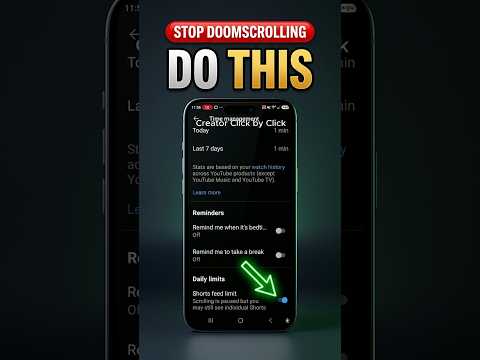
YouTube’s Android Time management settings include a Shorts feed limit that reduced Shorts exposure in The Click Test’s test.
Can an Android YouTube setting reduce an endless Shorts feed? The Click Test opened Time management, adjusted the Shorts feed limit, restarted the app, and observed the feed afterward.
How the setting changes the experience
- Open YouTube settings on Android.
- Open Time management.
- Set the Shorts feed limit.
- Restart the app so the setting can take effect.
- Observe whether Shorts appear less often.
What the demonstration showed
- The Click Test noticed fewer Shorts after the change.
- The setting did not demonstrate complete removal, and behavior may differ by account or app version.
The limit can give a viewer a practical control for reducing Shorts exposure.
Limits to keep in mind
It is not a guaranteed full block, and the exact interface and result may vary.
The Click Test Conclusion
The setting reduced Shorts in this observation, but it should not be described as a universal complete removal.
Prefer to watch the demonstration?
The written article above contains the essential answer. The public video is available as an optional walkthrough.